Assemblies
General information
Overview
An assembly is a group of members of an organization who meet periodically to make decisions about a specific area or scope of the organization.
Assemblies hold meetings, some are private and some are open. If they are open, it is possible to participate in them (for example: attending if the capacity allows it, adding points to the agenda, or commenting on the proposals and decisions taken by this organ).
Examples: A general assembly (which meets once a year to define the organisation’s main lines of action as well as its executive bodies by vote), an equality advisory council (which meets every two months to make proposals on how to improve gender relations in the organisation), an evaluation commission (which meets every month to monitor a process) or a guarantee body (which collects incidents, abuses or proposals to improve decision-making procedures) are all examples of assemblies.
The main difference between participatory processes and assemblies is that assemblies don’t have phases, meaning that they don’t have timelines.
You can see a real world usage of assemblies in Decidim Barcelona, where you can see the different Participation Organs, that are the regular spaces where the City Council meets with citizens and organizations to get feedback.
In this section, we’ll explain how we can configure an Assembly in Decidim.
Options
To configure assemblies on the Decidim platform, click on btn:[Assemblies] in the admin sidebar menu. A list will appear with the existing assemblies if there are any:
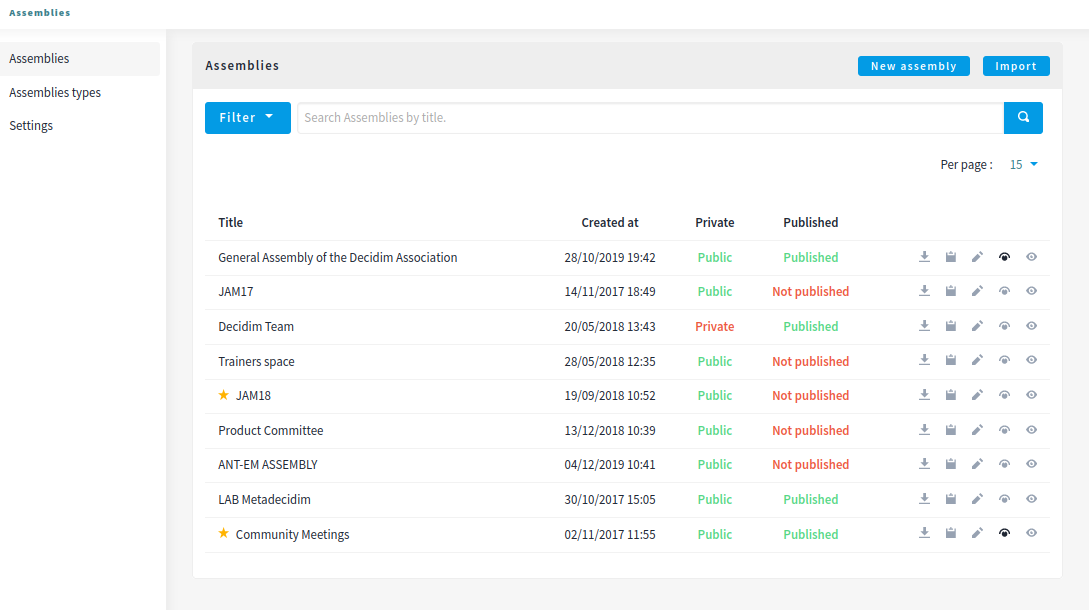
You can filter by the ones that are:
- Published / Unpublished
- Public / Private
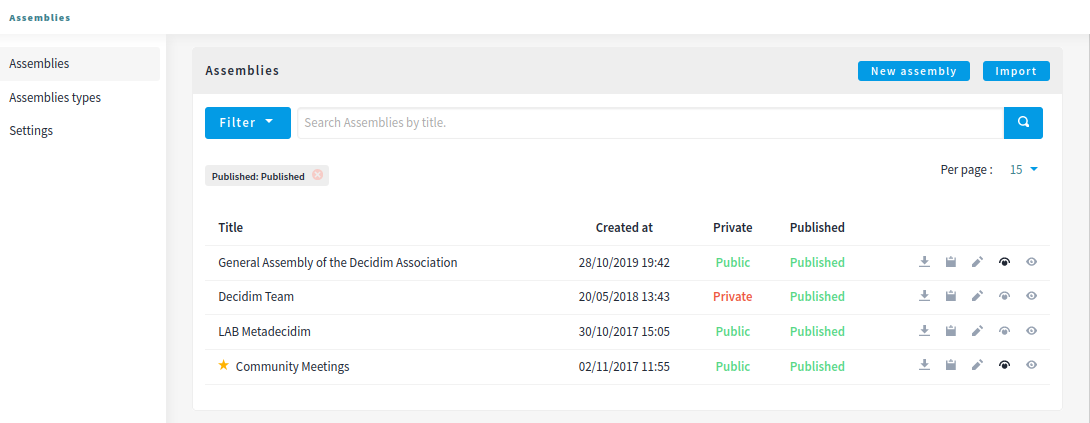
You can also search by title and control how many elements are in the list.
You have 4 possible actions in this list after an Assembly is created:
- Export: send by email the configuration for a given assembly. Can be imported in other Decidim installation.
- Duplicate: to duplicate this assembly.
- Configure: to edit the metadata and configuration for a assembly.
- Assemblies: to manage all the children assemblies for a assembly.
- Preview: how it will look once published.
Create a new assembly

| Field | Type | Description |
|---|---|---|
| Title | Required | Title of the assembly. For instance, "General Committee". |
| Subtitle | Required | Subtitle. For instance, "Let’s decide our priorities together" |
| Order position | Required | Which order will it have in relation with the other assemblies. Having a lower number means a higher priority. For instance, if you have two assemblies, "Assembly a" with weight "10" and "Assembly b" with weight "0", then "Assembly b" will be first when ordering. |
| URL slug | Required | URL slugs are used to generate the URLs that point to this assembly. Only accepts letters, numbers and dashes, and must start with a letter. Example: if your domain is 'example.org' and your slug 'general-committee' then your URL will be https://example.org/assemblies/general-committee |
| Hashtag | Optional | Hashtag for Twitter |
| Short description | Required | A short explanation of what’s your participatory process about. |
| Description | Required | A long explanation of what’s your assembly about. |
| Purpose of action | Optional | Internal field that doesn’t get shown publicly. To be removed in a future version. |
| Composition | Optional | Internal field that doesn’t get shown publicly. To be removed in a future version. |
| Internal organisation | Optional | Internal field that doesn’t get shown publicly. To be removed in a future version. |
| Announcement | Optional | The text you enter here will be shown to the user right below the assembly information. |
| Field | Type | Description |
|---|---|---|
| Date created | Optional | Information that’s displayed in the assembly metadata sidebar. Expected format: dd/mm/yyyy |
| Included at | Optional | Information that’s displayed in the assembly metadata sidebar. The date when this assembly was added to Decidim. It does not necessarily have to be the same as the creation date. Expected format: dd/mm/yyyy |
| Duration | Optional | Information that’s displayed in the assembly metadata sidebar. If the duration of this assembly is limited, select the end date. Otherwise, it will appear as indefinite. Expected format: dd/mm/yyyy |
| Closing date | Optional | Information that’s displayed in the assembly metadata sidebar. When this assembly closed. Expected format: dd/mm/yyyy |
| Closing date reason | Optional | Information that’s displayed in the assembly metadata sidebar. Why this assembly closed. |
| Field | Type | Description |
|---|---|---|
| Home image | Optional | Image that will be used in presentation cards of this assembly. Guidance for file: Has to be an image or a document. |
| For images, use preferably landscape images that does not have any text, the service crops the image. | ||
| Maximum file size: 10MB | ||
| Allowed file extensions: jpeg jpg png | ||
| Banner image | Optional | Image that will be used inside of the assembly. Guidance for file: Has to be an image or a document. For images, use preferably landscape images that does not have any text, the service crops the image. |
| Maximum file size: 10MB | ||
| Allowed file extensions: jpeg jpg png |
| Field | Type | Description |
|---|---|---|
| Scopes enabled | Optional | Check if you want to have Scopes filtering in this assembly. |
| Scope | Optional | Which Scope does this assembly belongs to. |
| Area | Optional | Which Area does this assembly belongs to. |
| Field | Type | Description |
|---|---|---|
| What is decided | Optional | Information that’s displayed in the assembly metadata sidebar. |
| How is it decided | Optional | Information that’s displayed in the assembly metadata sidebar. |
| Scope metadata | Optional | Information that’s displayed in the assembly metadata sidebar. |
| Promoter group | Optional | Information that’s displayed in the assembly metadata sidebar. |
| Organization area | Optional | Information that’s displayed in the assembly metadata sidebar. |
| Who participates | Optional | Information that’s displayed in the assembly metadata sidebar. |
| Field | Type | Description |
|---|---|---|
| Parent assembly | Optional | What is the assembly that this assembly belongs to. For instance in Metadecidim, the Coordination Committee has the parent assembly of the General%20Assembly%20of%20the%20Decidim%20Association. |
| Highlighted | Optional | Check if you want the assembly to have more visibility in the Assemblies public list. It’ll also be visible in the Assembly Content Block in the Homepage configuration. |
| Private space | Optional | Check if this assembly should only be accessible by Private Participants |
| Is transparent | Optional | Check if this assembly is private but should be visible to all the rest of participants. This means that other participants or visitors will see it but they won’t be able to interact with it. |
| Field | Type | Description |
|---|---|---|
| Created by | Optional | Choose one of "City Council", "Public" or "Other". If it’s Other, you can specify the name of the organization that created |
| this assembly. | ||
| Assembly type | Optional | Which assembly type is this assembly. |
| Related processes | Optional | Select other participatory processes that are related to this assembly. |
| Social | Optional | Which social networks profile does this assembly has. Can be Twitter, Facebook, Instagram, YouTube and/or GitHub. It’s displayed in the assembly metadata sidebar. |
| Show statistics | Optional | Check if you want to show the Statistics section. |
After you’ve initially created your assembly you have a submenu where you need to keep configuring more information about your assembly.
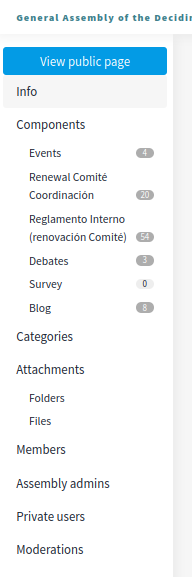
Here you can keep configuring your process:
- Info: the same form that we explained in this page.
- Components
- Categories
- Attachments
- Members
- Assembly admins
- Private participants
- Moderations
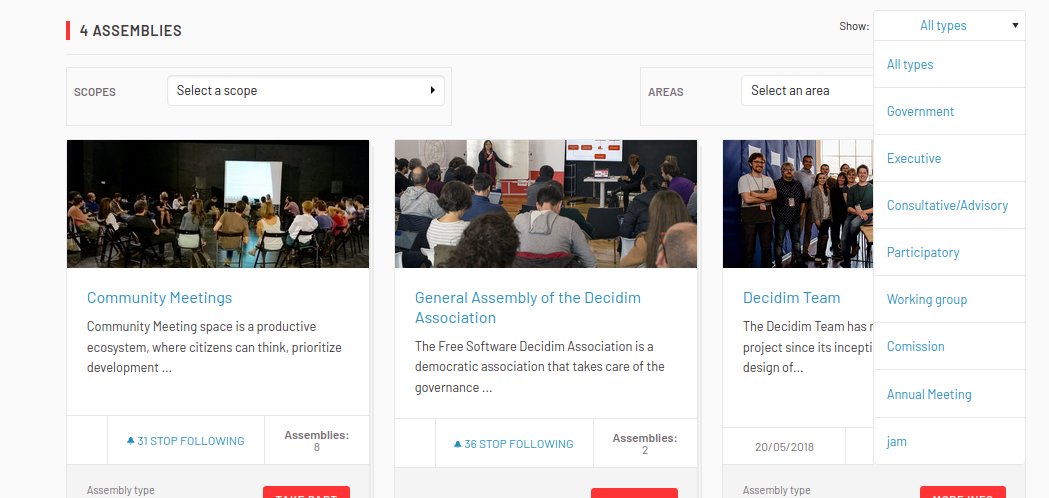
Assembly types
For clasyfing the assemblies in different kinds, you can define Assembly types. These types can be filtered in the public assemblies page.
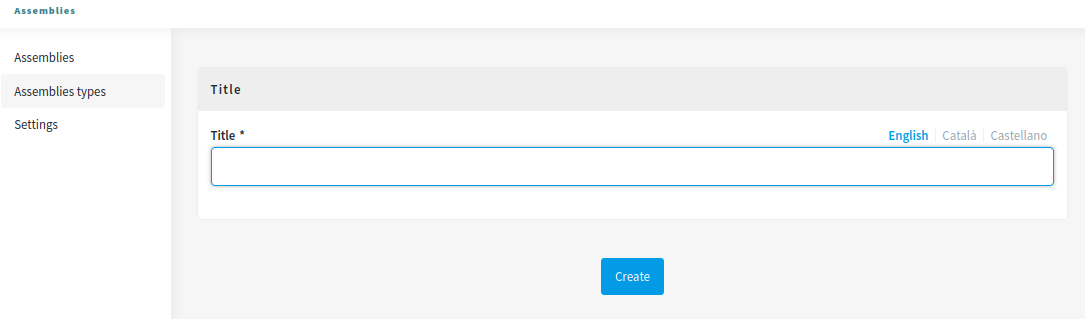
| Field | Type | Description |
|---|---|---|
| Title | Required | Title of the this assembly type. For instance, "Consultative". |
Organization chart
At the moment there’s only a setting for configuring the general behaviour of assemblies.
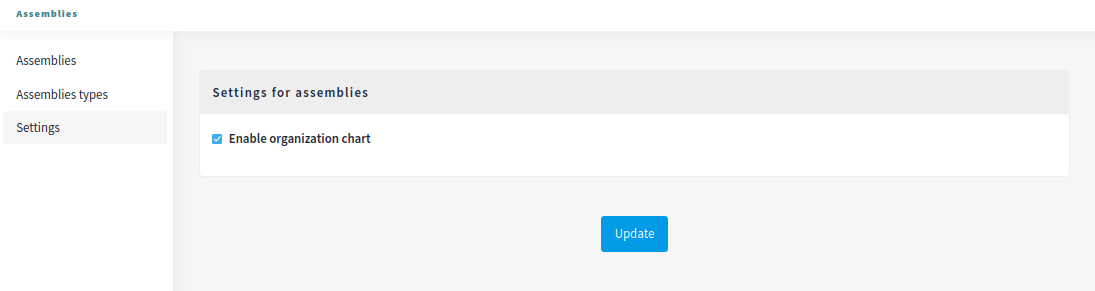
| Field | Type | Description |
|---|---|---|
| Enable organization chart | Checkbox | Whether you want to show the organization chart in the assemblies list. |
The organization chart is shown in the bottom of the assemblies page.
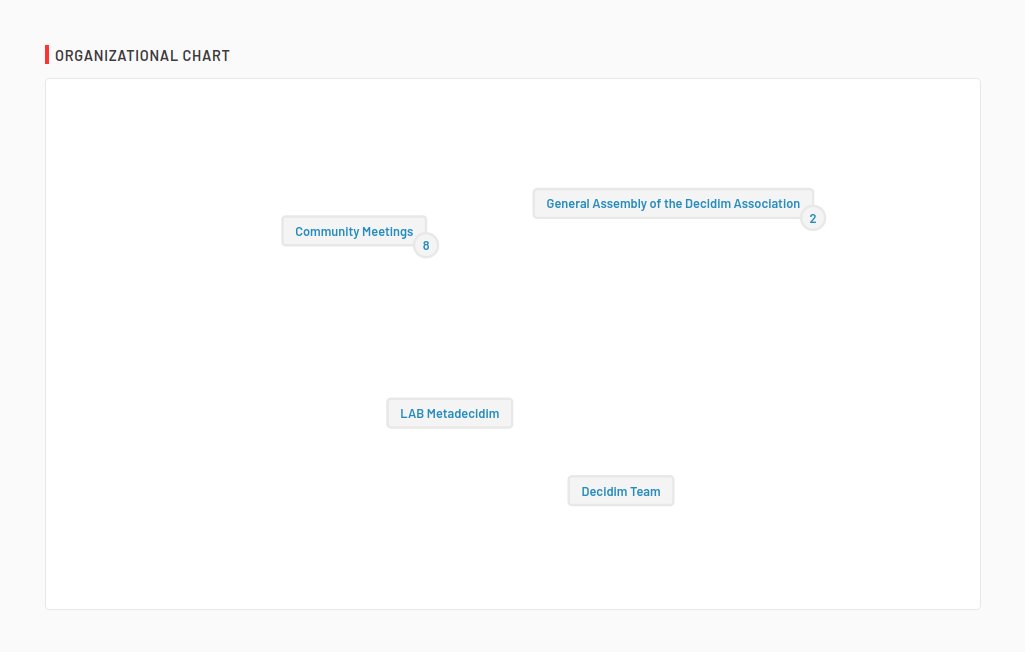
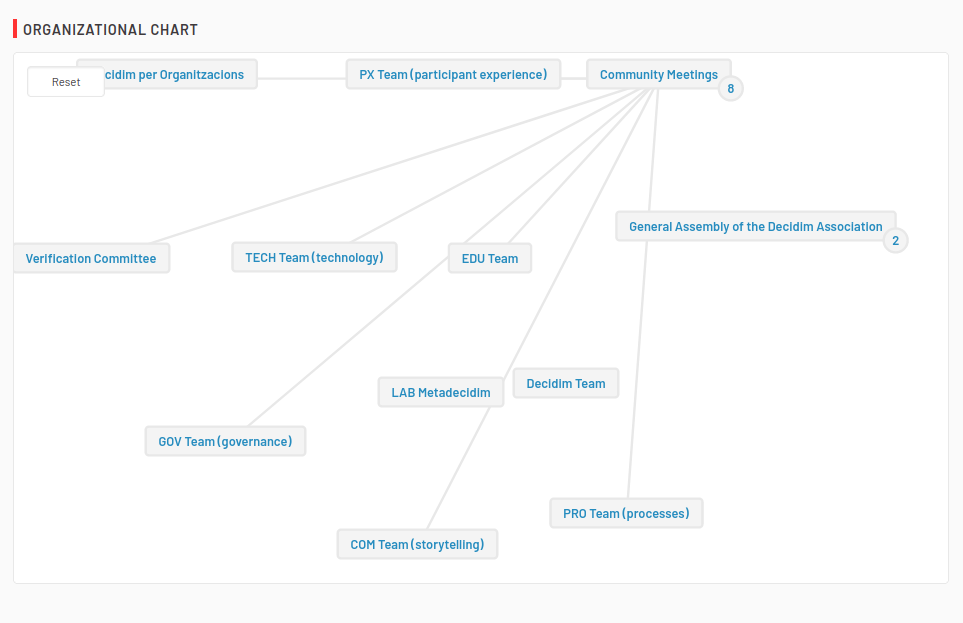
It allows a navigation in the assemblies tree, with the possibility to see the sub-assemblies that belongs to a parent assembly.
Based on Decidim Docs under Creative Commons BY SA 4.0